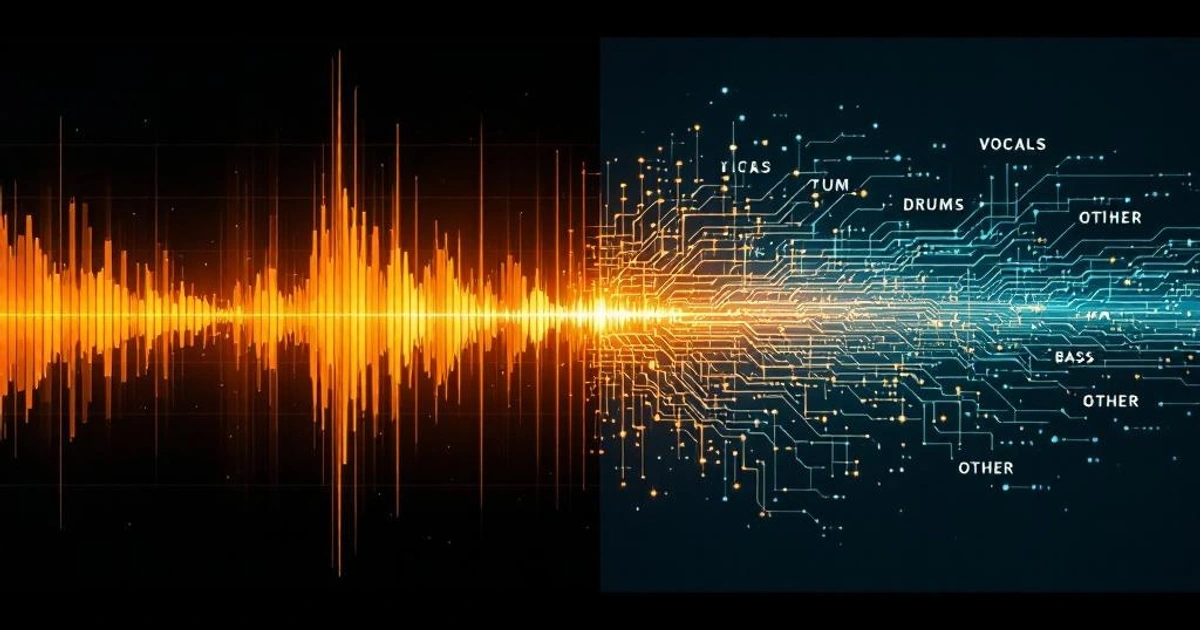
If you've used a free browser-based vocal remover and an AI service like Spleeter, Demucs, or LALAL.AI, you know the difference. The browser tool leaves a ghostly remainder, sometimes with tinny artifacts. The AI tool produces something that sounds like the singer simply walked out of the room. They're not the same algorithm, and they're not solving the same problem.
The browser tool runs a 1970s analog trick called center-channel cancellation in about ten lines of JavaScript. The AI tool runs a deep neural network trained on tens of thousands of separated stems. Both have legitimate places in the workflow, depending on what you care about: privacy, speed, audio quality.
This post is the honest comparison: what "removing vocals" actually means at the audio level, why the simple math works on some songs and fails on others, and when each one is the right tool.
What "Removing Vocals" Actually Means
A song is a single audio waveform — usually two channels (left and right) for stereo. Vocals, drums, guitar, bass, and synths are all summed into those two channels at mastering. By the time audio reaches your speakers, there are no separate "tracks" — just the mix.
"Removing vocals" is really "estimating what the mix would sound like without the vocal stem and subtracting that from the mix." The estimation is the hard part. Once instruments are summed, the original components are not generally recoverable — they overlap in frequency, phase, and time.
What's recoverable depends on the mix:
- Vocal panned dead center, instruments panned wider: simple math cancels most of the vocal (the browser-tool trick)
- Vocal frequency well-separated from instruments: frequency-based filtering helps but rarely isolates fully
- Vocals overlapping heavily in frequency and stereo position: the only practical solution is a model that has learned what vocals sound like
The Wikipedia article on audio source separation covers the broader problem space.
Center-Channel Cancellation: The Simple Math
Most browser-based vocal removers use a single trick: subtract the right channel from the left channel.
// For each sample i in the audio:
output[i] = leftChannel[i] - rightChannel[i];
That's it. The full algorithm is a few lines.
Why it works: in a typical stereo mix, the vocal is panned dead center, meaning it's identical in the left and right channels. Most other instruments are panned wider — guitars left, keys right, drums spread across both. When you compute left - right:
- Anything identical in both channels (vocal, kick drum, bass center) cancels out
- Anything different between channels (panned instruments, room reverb) survives, often with a phase shift
The result is a mono signal where the centered content is gone and the panned content is preserved. The vocal is mostly removed, the instruments are mostly retained, and the output sounds like a karaoke track.
Our Vocal Remover Stereo does exactly this, in the browser, with no upload. It's instant, private, and it works on tracks that match the assumptions.
Why Classic Stereo Songs Work and Modern Songs Don't
The center-channel trick is a child of 1970s and 1980s mixing conventions. Producers panned instruments hard left or right, kept the vocal center, and added reverb sparingly. Tracks like Toto's "Africa" or Phil Collins' "In the Air Tonight" subtract beautifully.
Modern pop and hip-hop, mixed with different conventions, fight the algorithm:
- Stereo widening on the vocal. Pitch detuning, short delays, or chorusing thicken vocals so left and right channels are not identical. Subtraction leaves a remainder.
- Heavy stereo reverb. Reverb is stereo-spread by definition. Vocal reverb tails don't cancel — you hear ghost vocals trailing the main one.
- Panned ad-libs and harmonies. Background vocal layers panned left or right survive subtraction completely.
- Mono compatibility mixing. Center kick and bass overlap with vocal frequency, so they can't be filtered independently.
- Mid-side processing. Modern mastering compresses the center differently from the sides. The "center" no longer behaves predictably.
A Beatles remaster karaokes nicely; a 2024 pop release leaks vocals badly. Knowing the failure mode helps set expectations.
AI Source Separation (Spleeter, Demucs, MDX-Net) — How It Differs
In 2019, Deezer released Spleeter, an open-source neural network for separating audio into stems (vocals, drums, bass, other). U-Net architecture, trained on pre-separated multitrack recordings. Suddenly anyone could produce vocal-isolated tracks without the studio sessions.
Meta released Demucs the same year, improved through 2023. Demucs 4 (Hybrid Transformer Demucs) is the current state of the art among open models, processing audio in both time domain and spectrogram domain. Commercial services like LALAL.AI and Moises run proprietary derivatives.
How AI separation works:
- Convert mixed audio to a spectrogram (time × frequency)
- Train a neural net on
(mixed, vocal_stem, instrument_stem)triples — tens of thousands - At inference, the network predicts a mask for each frequency bin: how much belongs to vocal vs rest
- Apply masks, convert back to waveform
The model learns what vocals sound like — formants, vibrato, sibilance, pitch contours — and estimates the vocal contribution to each frequency bin even when it overlaps with instruments. Pattern matching at scale, dramatically better than sum-and-subtract on modern mixes.
The trade-off: AI models are large (Demucs 4 is hundreds of MB), require GPU or substantial CPU for fast inference, and need server upload or heavy local install. Browser-based AI vocal removers exist (ONNX or WebAssembly runtimes) but typically run smaller, lower-quality models.
When to Use Which
The decision is mostly about constraints:
- Browser tool (center-channel cancellation): privacy, speed, no install, no upload. Works well on classic-style mixes. Fails on modern pop.
- AI tool (Spleeter, Demucs, LALAL.AI): dramatically higher quality on any mix. Costs you upload time, processing time, and (for commercial tools) money. Privacy depends on the vendor.
Quick decision flowchart:
- Track is from the 1970s-90s and you need quick karaoke? Browser tool. Probably good enough.
- You can't upload your audio (legally, privacy-wise, or contractually)? Browser tool, accept lower quality.
- You're producing a polished karaoke track or doing remix work? AI tool. Quality difference is significant.
- You want stems for sampling, not just vocal removal? AI tool — Spleeter and Demucs separate into 4–6 stems (vocals, drums, bass, other).
- The track is a simple piano + voice or guitar + voice arrangement? Either works; modern AI is overkill.
Practical Workflow
A reasonable hybrid workflow:
- Try the browser tool first on any track. Use Vocal Remover Stereo. If output is acceptable, you're done — no upload, no waiting.
- If output is poor (modern pop, heavy reverb, vocal still audible), upload to an AI service (Spleeter, Demucs, or a commercial alternative).
- Pre-process audio to make either tool work better. Trim silence with Audio Trim/MP3 Cutter. Normalize volume with Audio Volume Normalize so soft sections don't disappear under the cancellation noise floor.
- Convert format if needed — many vocal removers prefer WAV or 320 kbps MP3 over heavily compressed sources. Use Audio Format Converter.
- For DJ or remix workflows, detect the BPM with BPM Detector before separating, since vocal-removed tracks lose some downbeat clarity that can confuse later beat detection.
The Honest Tradeoffs
Center-channel cancellation in the browser:
- Pros: instant, private (no upload), free, no install, runs offline once loaded
- Cons: poor quality on modern mixes, ghost vocals, mono output, can damage panned instruments
- Best for: classic stereo recordings, quick checks, privacy-sensitive material, karaoke for personal use
AI source separation (Spleeter, Demucs, commercial services):
- Pros: vastly better quality on any mix, can produce true stems, preserves stereo image
- Cons: requires upload (privacy concerns), processing time (seconds to minutes), commercial tools cost money, model quality varies
- Best for: professional remix work, polished karaoke production, sampling, restoration projects
Neither is "the right answer" universally. The reference vocal remover for free browser-based work is vocalremover.org, which started as center-channel cancellation and added a server-side AI model. The transition reflects the broader truth: simple math is enough for some tracks, and the rest need a model that has learned what vocals sound like.
For more on audio processing, see How MP3 Compression Works and How BPM Detection Works.
FAQ
Why does the browser vocal remover sound bad on modern songs?
Modern songs use stereo widening, heavy reverb, panned harmonies, and mid-side mastering. Center-channel cancellation only removes content that's identical in both channels. Reverb tails, widened vocals, and background harmonies don't cancel and survive as ghosts in the output. The math hasn't changed; the mixing conventions have.
Are AI vocal removers actually private?
It depends. Open-source models (Spleeter, Demucs) running locally are fully private — your audio never leaves your machine. Commercial services (LALAL.AI, Moises, etc.) require upload to their servers; their privacy depends on their data handling policy. Read the terms before uploading copyrighted or sensitive material.
Can the browser vocal remover handle mono recordings?
No. Center-channel cancellation requires stereo input — it works by subtracting the right channel from the left. On mono input, both channels are identical and the output is silence. You need an AI tool to separate vocals from a mono recording, or you need to convert to stereo first (which doesn't help, since both channels remain identical).
Why does the browser tool remove the kick drum and bass too?
In most mixes, kick and bass are panned dead center along with the vocal. Center-channel cancellation can't tell them apart — anything centered gets cancelled. The result is a karaoke track that's missing both the singer and the rhythmic foundation. AI models, trained to distinguish vocals from drums and bass, don't have this problem.
How long does AI separation take?
Open-source models on CPU: Demucs 4 takes roughly 1–2x real-time (a 3-minute song processes in 3–6 minutes). With a GPU, 5–10x real-time is typical. Commercial services typically process a 3-minute song in 30–60 seconds, server-side. Browser-based AI tools (smaller models in WebAssembly) can be 2–4x real-time on a fast laptop.
Can I use vocal removal for legitimate purposes without copyright issues?
Removing vocals from copyrighted recordings for personal use (karaoke, learning to play along, transcription) is generally fair use in most jurisdictions. Distributing the resulting karaoke track or sampling vocal stems for new productions is not — that requires licensing. Always check your local law and any applicable licensing terms.
Does sample rate matter for vocal removal?
Slightly. Center-channel cancellation works equally well at any sample rate (44.1 kHz, 48 kHz, 96 kHz). AI models are typically trained at 44.1 kHz, so audio at higher sample rates is downsampled before processing and upsampled after. The downsampling step doesn't significantly affect output quality.
Is there a way to get AI quality without uploading?
Yes — run an open-source model locally. Demucs and Spleeter both have command-line installers (Demucs is easier to install in 2026). Browser-based AI runtimes (ONNX Runtime Web, ONNX-MLAS) are catching up but typically run smaller, lower-quality models than the full Demucs 4 you'd get locally. For privacy-critical work, local install is the answer.