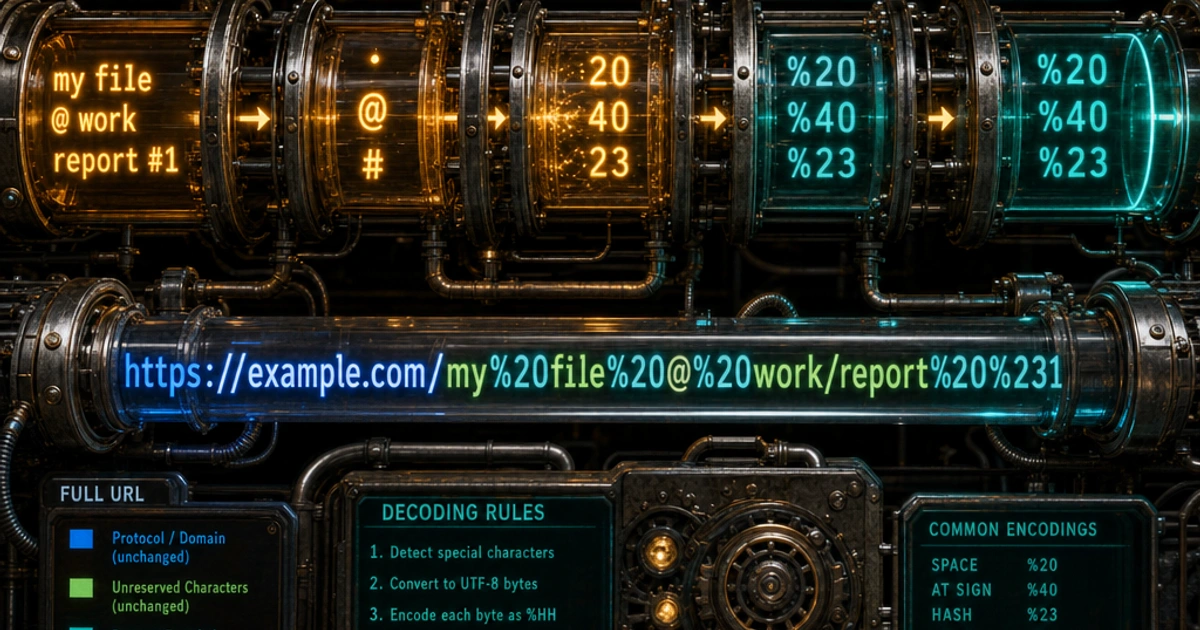
URLs can only contain a limited set of characters. That's not a quirk or oversight — it's a deliberate constraint baked into the spec. When your data contains characters outside that set, percent-encoding is what bridges the gap. Understanding how it works saves you from mysterious broken links, malformed API calls, and the classic + vs %20 confusion.
Why URLs Have a Limited Character Set
A URL is transmitted as plain text across systems that were originally designed around ASCII. Characters like spaces, angle brackets, or non-Latin letters have no safe, unambiguous representation in a raw URL. The URI specification (RFC 3986) formalizes this by dividing characters into two groups:
Unreserved characters — always safe, never encoded: A-Z a-z 0-9 - _ . ~
Reserved characters — have special meaning in URL syntax: : / ? # [ ] @ ! $ & ' ( ) * + , ; =
Everything else — spaces, accented characters, emoji, control characters — must be encoded before it appears in a URL.
How %XX Actually Works
Percent-encoding represents a byte as a percent sign followed by two hexadecimal digits. The byte value is derived from the character's UTF-8 encoding.
A space character is 0x20 in ASCII, so it becomes %20. The euro sign € encodes to three UTF-8 bytes: 0xE2 0x82 0xAC, giving you %E2%82%AC. The formula is mechanical: encode each byte of the UTF-8 sequence, prepend %.
Space     → %20
/         → %2F
?         → %3F
#         → %23
€         → %E2%82%AC
😀        → %F0%9F%98%80
You can verify any character by looking up its UTF-8 byte values and converting to hex. Or just use the URL Encoder to do it instantly.
Path Encoding vs Query String Encoding
These two contexts have different rules, and mixing them up is a common source of bugs.
Path segments — everything between the slashes in the path — must encode any character that would be misread as a URL delimiter. A slash inside a path segment must become %2F, otherwise the parser will split it into two segments. Spaces become %20.
/files/my document.pdf       ← broken
/files/my%20document.pdf     ← correct
Query strings follow the same percent-encoding rules but have an additional layer: HTML form submissions historically encoded spaces as + instead of %20. This is defined in the application/x-www-form-urlencoded content type, not in RFC 3986.
?q=hello world    ← ambiguous
?q=hello%20world  ← RFC 3986 compliant
?q=hello+world    ← form-encoded (+ means space here)
The + as space convention only applies inside query strings, and only under application/x-www-form-urlencoded. In a URL path, a literal + is just a plus sign — nothing special.
The + vs %20 Ambiguity
This trips up a lot of developers. Here's the rule of thumb:
- If you're building a URL for a browser address bar or an API endpoint path, use
%20for spaces. - If you're encoding HTML form data (
Content-Type: application/x-www-form-urlencoded), use+for spaces — that's whatURLSearchParamsproduces. - When in doubt, use
%20. It's unambiguous everywhere.
The danger is receiving a + in a query string and passing it to a context that doesn't decode it as a space. Some server-side decoders only understand %20 — they'll leave the + as a literal plus character, and you'll spend an hour wondering why search queries are broken.
encodeURI vs encodeURIComponent in JavaScript
JavaScript ships two built-in encoding functions, and they cover different use cases.
encodeURI() is designed for encoding a complete URL. It leaves reserved characters like /, ?, #, and & alone because they're assumed to be meaningful URL structure.
encodeURI('https://example.com/search?q=hello world&lang=en')
// → 'https://example.com/search?q=hello%20world&lang=en'
encodeURIComponent() is for encoding a single component — a query parameter value, a path segment, a fragment. It encodes reserved characters too, because inside a component those characters lose their structural meaning.
encodeURIComponent('hello world & goodbye')
// → 'hello%20world%20%26%20goodbye'

// Building a query string safely:
const q = encodeURIComponent(userInput);
const url = `https://example.com/search?q=${q}`;
The mistake to avoid: using encodeURI on a value you're embedding in a query string. If the value contains & or =, encodeURI leaves them unencoded and the parser treats them as delimiters. Always use encodeURIComponent for values.
Double-Encoding: A Common Pitfall
Double-encoding happens when you encode something that's already encoded. The % sign encodes to %25, so %20 becomes %2520 after a second pass — and now your URL is broken in a way that's genuinely confusing to debug.
Original:        hello world
Encoded once:    hello%20world
Encoded twice:   hello%2520world   ← broken
It usually happens when:
- A framework encodes input that was already encoded by the developer.
- URL-encoded data is stored and retrieved, then encoded again before use.
- Middleware layers each add their own encoding without coordinating.
The fix: encode at the last possible moment before sending, and only ever encode raw (unencoded) values. If you're unsure whether a value is already encoded, try decoding it with decodeURIComponent first and compare.
When You'd Actually Need This
Beyond query parameters, percent-encoding shows up in several practical scenarios:
Webhooks and redirects — if you're building a redirect URL that includes a return path as a parameter, the path must be encoded: ?next=%2Fdashboard%2Fsettings.
File downloads — the Content-Disposition header uses a form of encoding for filenames with spaces or non-ASCII characters.
API integrations — REST APIs that accept resource identifiers in the path (like /users/{id}) require the id to be encoded if it could contain slashes or other delimiters.
OAuth — OAuth signature mechanisms require extremely precise encoding of both keys and values, where even the ~ character handling varies between implementations.
Decoding for Display
When showing a URL back to a user, you generally want to decode it. decodeURIComponent handles this in JavaScript. Be careful not to decode URLs before passing them to fetch or XMLHttpRequest — the browser expects them encoded.
// Display a decoded path to the user
const display = decodeURIComponent(window.location.pathname);
document.querySelector('#current-path').textContent = display;
If you're working with base64 strings inside URLs, note that base64 uses +, /, and = which all need encoding. URL-safe base64 (RFC 4648) replaces + with - and / with _ to avoid this. Read more in Base64 Encoding Explained.
The RFC Reality
RFC 3986 (URIs) and the WHATWG URL Standard (what browsers actually implement) differ subtly. The WHATWG spec is more permissive in some areas — it auto-encodes characters that RFC 3986 would reject. For most practical work, the difference doesn't matter. But if you're writing a URL parser or security-sensitive code that validates URLs, read both. The WHATWG URL Standard is the living reference for browser behavior.
Try It Yourself
The URL Encoder on UtilityKit handles both encoding and decoding, with separate modes for full URLs and individual components. If you need to encode binary data for a URL context, pair it with the Base64 Encoder — base64 + URL encoding is a common combination for passing structured data through query parameters.
FAQ
When should I use `+` vs `%20` for spaces?
+ for HTML form data (application/x-www-form-urlencoded content type), %20 everywhere else. The + convention only applies inside query strings under form encoding. In a URL path, a literal + is just a plus sign. When in doubt, use %20 — it's unambiguous everywhere. JavaScript's URLSearchParams produces + for spaces; encodeURIComponent produces %20.
What's the difference between `encodeURI` and `encodeURIComponent`?
encodeURI is for full URLs — it leaves reserved characters (/, ?, #, &) unencoded because those are URL structure. encodeURIComponent is for individual values — it encodes everything that isn't an unreserved character, including reserved chars that lose their structural meaning inside a value. For query parameter values, always use encodeURIComponent; for full URLs you've assembled, use encodeURI.
Why does my URL have `%2520` instead of `%20`?
Double-encoding. Something encoded %20 again, treating the % as a literal character: % becomes %25, so %20 becomes %2520. Common cause: encoding input that was already encoded by a framework, or middleware layers each adding their own encoding. The fix is to encode at the last possible moment with raw (unencoded) values; if uncertain, decode first to check.
Do I need to URL-encode emoji?
Yes — emoji are multi-byte UTF-8 characters that aren't in the URL safe set. The grinning face emoji (😀) encodes to %F0%9F%98%80 (4 UTF-8 bytes). Most modern browsers will display the emoji directly in the address bar but encode it on the wire. Server-side, expect the percent-encoded form when reading raw query strings; URL parsing libraries decode them back automatically.
What characters never need encoding?
Per RFC 3986, the unreserved characters are: A-Z, a-z, 0-9, and -, _, ., ~. These are always safe in any URL context. Everything else is either a reserved character (with structural meaning) or needs encoding. Some specs add slightly different sets (the WHATWG URL Standard auto-encodes some chars RFC 3986 would reject), but the unreserved set is universally safe.
How do I encode a slash inside a path segment?
Encode it as %2F. A literal / inside a path segment would be misread as a path delimiter, splitting one segment into two. For example, a filename like my/file.txt in a URL must become my%2Ffile.txt. Server-side decoding logic varies — some frameworks decode %2F and re-split, others preserve it. Test your routing if you have slashes inside identifiers.
Are URL-encoded URLs case-sensitive?
The encoding hex digits (%20, %2F) are case-insensitive — %2f and %2F mean the same byte. RFC 3986 recommends uppercase for canonical form. The decoded characters themselves preserve case (a URL with Foo decodes to Foo, not foo). Don't write code that assumes lowercase percent-encoding; decoders accept both.
What's URL-safe Base64 and why does it exist?
Standard Base64 uses +, /, and =, all of which need URL encoding. URL-safe Base64 (RFC 4648 §5) replaces + with - and / with _, and often omits the = padding. The result is safe in URLs without further encoding. JWT tokens use URL-safe Base64 for exactly this reason — they need to fit in URL parameters, headers, and cookies without escape sequences.