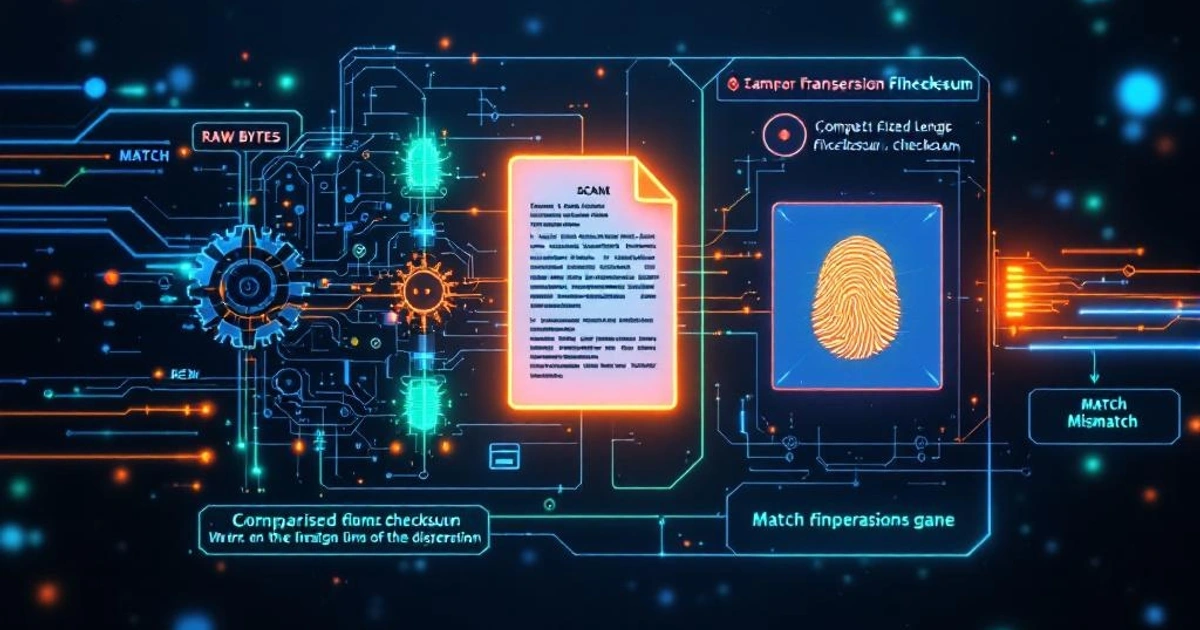
You download a 2 GB Linux ISO. The download page shows a SHA-256 hash. You run a command to verify it. All good — but what did you just do, and why does it matter? Checksums are a foundational concept in data integrity, and they show up in more places than most developers notice.
What a Checksum Is
flowchart LR
  D[Data block] --> F[("Checksum<br/>function")]
  F --> S[fixed-size digest]
  D --> Net[(Network / disk)]
  Net --> D2[Data block']
  D2 --> F2[("Same checksum<br/>function")]
  F2 --> S2[digest']
  S --> Cmp{Match?}
  S2 --> Cmp
  Cmp -- yes --> OK[Intact]
  Cmp -- no --> Bad[Corrupted]
A checksum is a value computed from a block of data. If the data changes — even by one bit — the checksum changes too. Compare checksums before and after transmission or storage and you can detect corruption.
The simplest possible checksum is a parity bit. Add up all the bits in a message; if the total is even, the parity bit is 0; if odd, it's 1. Append it to your message. On the receiving end, repeat the calculation and compare. If they differ, something changed.
Parity is too weak for real use — it misses any even number of bit flips — but the concept generalizes into much more powerful algorithms.
The Luhn Algorithm: Checksums in Your Wallet
Credit card numbers use the Luhn algorithm to catch typos. The check digit (the last digit of your card number) is computed from the others in a specific way. When you type a card number online, the browser can validate it instantly without a server round trip, just by recomputing the check digit.
Card: 4532 0151 2345 6782
                        ^ check digit

Algorithm (simplified):
1. Starting from the second-to-last digit, double every second digit going right to left
2. If doubling produces > 9, subtract 9
3. Sum all digits (doubled and undoubled)
4. Valid if sum % 10 == 0
This catches any single-digit error and most adjacent transpositions — the most common human input mistakes. It's not a cryptographic algorithm — you can compute a valid Luhn number trivially — but it's a great example of using checksums for error detection rather than security. (Wikipedia's Luhn algorithm article walks through the full computation step by step.)
For a browser-side QA example, the Test Credit Card Generator creates synthetic Visa, Mastercard, and Amex numbers that pass the Luhn check. They are format samples for sandbox or development work, not payment credentials.
CRC: The Error Detection Standard
Cyclic Redundancy Check (CRC) is the checksum algorithm in Ethernet frames, ZIP files, PNG images, and dozens of other formats. CRC32 produces a 32-bit checksum; CRC16 produces 16 bits.
The intuition: treat your data as a very large binary number and divide it by a predefined polynomial. The remainder of that division is the CRC. On the receiving end, divide again — if the remainder is zero, the data is intact.
CRC is efficient to compute in hardware, which is why it dominates at the network and storage layer. But it's not designed to be tamper-resistant — a determined attacker can modify data and adjust the CRC to match. CRC is for detecting accidental corruption, not deliberate tampering. (Wikipedia's cyclic redundancy check article covers the polynomial choices and standard variants.)
MD5 and SHA Checksums for File Downloads
When a site publishes a SHA-256 hash alongside a download, they're giving you a way to verify the file arrived intact and matches what they published:
# Download the file and verify (Linux/macOS)
sha256sum ubuntu-24.04-desktop.iso
# or
shasum -a 256 ubuntu-24.04-desktop.iso
Compare the output against the hash on the download page. A match means the file is byte-for-byte identical to what was published.
Important caveat: this verifies integrity but not authenticity. If an attacker controls the download server and the page showing the hash, they can substitute both. A checksum on the same server as the file is weak protection against a compromised server. For real authenticity guarantees, you need a cryptographic signature — the publisher signs the hash with their private key, and you verify with their public key.
MD5 checksums are still widely published for downloads, but MD5 is cryptographically broken and shouldn't be used for security purposes. For integrity checking of files, SHA-256 is the current standard. For security-sensitive checksums (passwords, digital signatures), use SHA-256 or better.
The Difference Between a Checksum and a Hash
flowchart TB
  All["All checksums<br/>(detect change)"]
  All --> Weak["Non-cryptographic<br/>parity, Luhn, CRC32, Adler-32"]
  All --> Crypto["Cryptographic hashes<br/>SHA-256, SHA-3, BLAKE3"]
  Weak --> WeakUse["Use cases:<br/>• network/disk error detection<br/>• credit card typo check<br/>• ZIP/PNG integrity"]
  Crypto --> CryptoUse["Use cases:<br/>• password storage<br/>• digital signatures<br/>• cert / file authenticity"]
  classDef root fill:#1f1f1f,stroke:#a8a8a8,color:#e4e4e4;
  classDef weak fill:#1f1f1f,stroke:#fb923c,color:#e4e4e4;
  classDef strong fill:#1f1f1f,stroke:#4ade80,color:#e4e4e4;
  class All root
  class Weak,WeakUse weak
  class Crypto,CryptoUse strong
The terms are often used interchangeably, but there's a real distinction:
- A checksum is any value computed from data to detect errors. It may be non-cryptographic (CRC, Luhn).
- A cryptographic hash is a checksum with additional security properties: collision resistance (hard to find two inputs with the same hash), preimage resistance (hard to reverse), and avalanche effect (tiny input change → completely different output).
All cryptographic hashes are checksums, but not all checksums are cryptographic hashes. When security matters — password storage, digital signatures, certificate fingerprints — you need a cryptographic hash.
See Hashing Algorithms Guide for a deeper look at SHA-256, SHA-3, bcrypt, and when to use each one.
HMAC: Adding Authentication to Checksums
flowchart LR
  M[Message] --> H[("hash<br/>(SHA-256)")]
  K[secret key] --> H
  H --> MAC[HMAC tag]
  M -- send over network --> R[(Receiver)]
  MAC -- send over network --> R
  R --> H2[("hash<br/>(SHA-256)")]
  K -. shared in advance .-> H2
  H2 --> MAC2[recomputed tag]
  MAC --> Cmp{Match?}
  MAC2 --> Cmp
  Cmp -- yes --> OK[Authentic + intact]
  Cmp -- no --> Bad[Tampered or wrong key]
A plain hash verifies integrity but not authenticity. HMAC (Hash-based Message Authentication Code) — formally specified in RFC 2104 — adds a secret key to the hash:
HMAC(key, message) = hash(key ⊕ opad || hash(key ⊕ ipad || message))The result: only someone who knows the key can compute or verify the HMAC. This is how APIs sign requests (AWS Signature V4 uses HMAC-SHA256), how JWT HMAC tokens work (HS256), and how cookie signing works in most web frameworks.
import hmac, hashlib

key = b'secret-key'
message = b'order_id=12345&amount=99.99'
mac = hmac.new(key, message, hashlib.sha256).hexdigest()
# → "a3f9c2..."
If the message is tampered with (someone changes amount=99.99 to amount=0.01), the MAC won't match and you reject it.
Checksums in TCP/IP
Every IP packet has a header checksum. Every TCP and UDP segment has a checksum covering the payload. These are 16-bit ones' complement checksums — not cryptographic, but fast to compute in hardware and sufficient to catch the random bit errors that occur in network transmission.
The network stack verifies these automatically. If a packet arrives with a bad checksum, it's discarded and retransmission is requested (TCP) or the packet is silently dropped (UDP). By the time data reaches your application code, network-layer corruption has already been caught.
Verifying a Download: A Practical Example
Here's a complete workflow for verifying a downloaded file:
# 1. Download file and checksum
curl -O https://example.com/release-v2.0.tar.gz
curl -O https://example.com/release-v2.0.tar.gz.sha256

# 2. Verify (macOS)
shasum -a 256 -c release-v2.0.tar.gz.sha256

# 3. Verify (Linux)
sha256sum -c release-v2.0.tar.gz.sha256

# Output if valid:
# release-v2.0.tar.gz: OK
For even stronger guarantees, check whether the project publishes GPG signatures. Then you're not just verifying the file hash — you're verifying that someone with the project's private key signed it.
You can quickly generate and compare SHA-256 and MD5 hashes using the Hash Generator tool without installing anything. For data that needs to be transmitted in text form, the Base64 Encoder handles encoding binary output into ASCII-safe strings — which is how hash values often get embedded in HTTP headers and tokens.
Also worth reading: Encoding vs. Encryption vs. Hashing — the distinctions matter when you're choosing which tool to reach for in a given security scenario.
Checksums are one of those foundational mechanisms you rely on constantly without thinking about it. Every file you download, every network packet you receive, every credit card number you type — all of them are quietly verified by checksum logic running underneath.
FAQ
Is MD5 still safe for verifying file integrity?
For accidental corruption (catching a bad download), yes — MD5 still detects single-bit flips just as reliably as SHA-256. For protection against deliberate tampering, no — attackers can craft two files with identical MD5s. The rule: if a malicious actor benefits from a collision (signed software, cert verification), use SHA-256. For your own backups verifying random corruption, MD5 is technically fine.
What's the difference between a CRC and a cryptographic hash?
A CRC (like CRC32) is fast, hardware-accelerated, and catches accidental errors — but an attacker can deliberately craft data with any desired CRC. A cryptographic hash (SHA-256, BLAKE3) is collision-resistant: an attacker can't find two inputs producing the same output without massive computation. Use CRC for network/storage error detection, cryptographic hash for security-relevant verification.
Should I publish MD5 or SHA-256 alongside my downloads?
SHA-256 minimum, ideally with GPG signatures over the hash. MD5 is cryptographically broken — anyone who controls the download server can swap both the file and the published MD5 and make them match. SHA-256 alone has the same weakness if the attacker controls the publisher. The real defense is signed checksums where the signing key is held offline.
Why does TCP have a checksum if Ethernet already has CRC?
Defense in depth across layers. Ethernet's CRC catches errors on a single link, but packets cross many links (and routers) on their way to you, and corruption can happen on any of them — including in the router's memory between the input and output queues. TCP's checksum catches errors that slip past Ethernet, especially on misbehaving hardware.
Is BLAKE3 better than SHA-256?
Faster, yes — BLAKE3 can be 5-10× faster than SHA-256 on modern CPUs, especially with SIMD and parallel hashing. But SHA-256 has wider hardware support, broader ecosystem (every language, every protocol), and decades of cryptanalysis. For new internal systems where speed matters, BLAKE3 is a reasonable choice. For interop with everything else, SHA-256 is still the default.
Can I use a checksum to detect intentional tampering?
Only if it's an HMAC or signed hash. A plain hash like SHA-256 detects corruption but an attacker who modifies the file and recomputes the hash can publish both unchanged. HMAC requires a secret key to compute, so attackers without the key can't forge a valid HMAC. For public verification, use a digital signature (private-key sign, public-key verify).
Why doesn't HTTPS make checksums redundant?
HTTPS protects data in transit between you and the server. It doesn't protect against the file being tampered with at rest on the server, nor against you downloading from a mirror that's been compromised. Published checksums (especially signed ones) verify the file you got matches what the publisher intended, regardless of how it got to you.
What's the right checksum for a 1 GB file?
SHA-256 is the standard answer — secure, well-supported, fast enough that 1 GB hashes in seconds on a modern CPU. SHA-512 is slightly faster on 64-bit hardware. BLAKE3 is faster still and parallelizable. For software releases, follow the convention of the ecosystem (most use SHA-256). Don't roll your own; never use MD5 for anything security-relevant.